
Employing Someone Who Is Deaf or Has Hearing Loss: Employer Toolkit
If you employ, or are recruiting, someone who is deaf or has hearing loss, a few practical steps help everyone. That includes Deaf British Sign Language (BSL) users, people who have been deaf from birth or childhood, deafened adults and people whose hearing has changed over time. Employing someone who is deaf or has hearing loss is usually straightforward once you know what to put in place, and most changes are simple and low cost.
Think of this page as your employer toolkit: checklists for recruitment, onboarding, meetings, technology and the workspace, with pointers to help with costs, training and assessments. For background on deafness and types of hearing loss, Deaf culture and language, how it affects work and what the law expects, read our Supporting Deaf Employees and Employees with Hearing Loss: Employer Guide.
Every person is different, so the most useful step of all is to ask your employee what works for them and agree changes together.

Your legal obligations
Employers have a duty to make reasonable adjustments, so that an employee who is deaf or has hearing loss is not put at a substantial disadvantage at work. The employee must not be charged for reasonable adjustments. In Great Britain this duty comes from the Equality Act 2010; our Equality Act page explains the position in Northern Ireland and the Republic of Ireland.
Many adjustments cost little or nothing, such as switching on live captions, changing how meetings are run or moving someone to a quieter desk. GOV.UK also has guidance on reasonable adjustments for workers with disabilities or health conditions.
Know the signs
Hearing loss that develops gradually is often hidden. Signs that an employee may be struggling include:
- Missing details or actions from meetings and calls
- Asking people to repeat themselves, or answering a slightly different question
- Avoiding the phone, video calls or team catch-ups
- Seeming tired, withdrawn or less confident by the end of the day
- Turning the volume up on calls, or leaning in to hear
- Not responding to alarms, announcements or someone calling their name
If you notice these signs, have a private, supportive conversation. Our free hearing self-screening tool can be a useful first step for an employee who is unsure.
Communication at a glance
People who are deaf or have hearing loss communicate in different ways, and many use more than one. For many Deaf BSL users, BSL is their first language and English is a second language. Here are some of the most common ways people communicate:
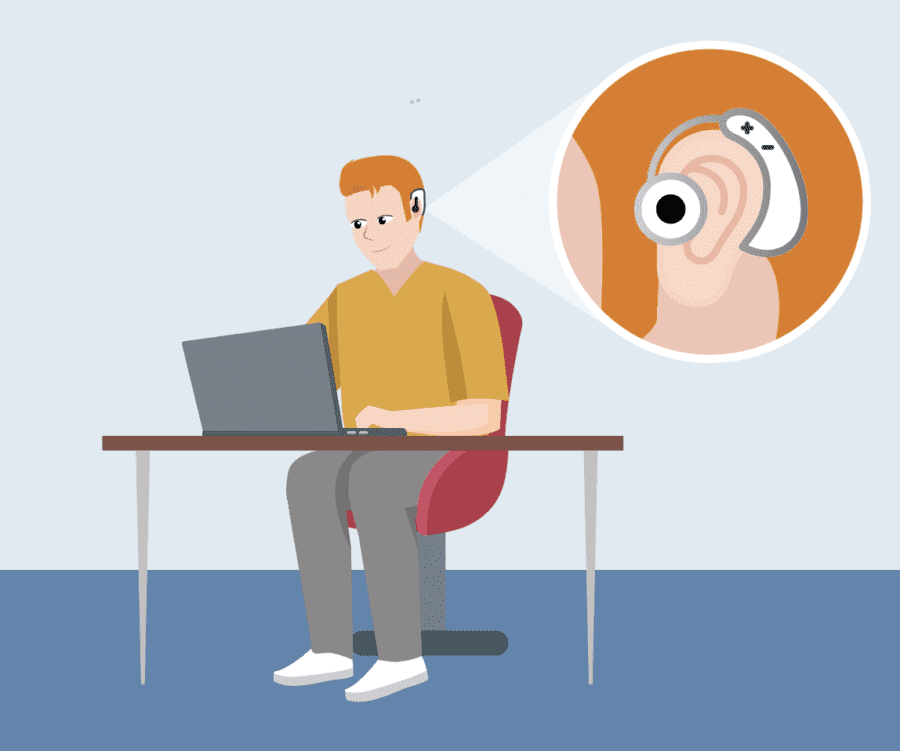
Hearing aids
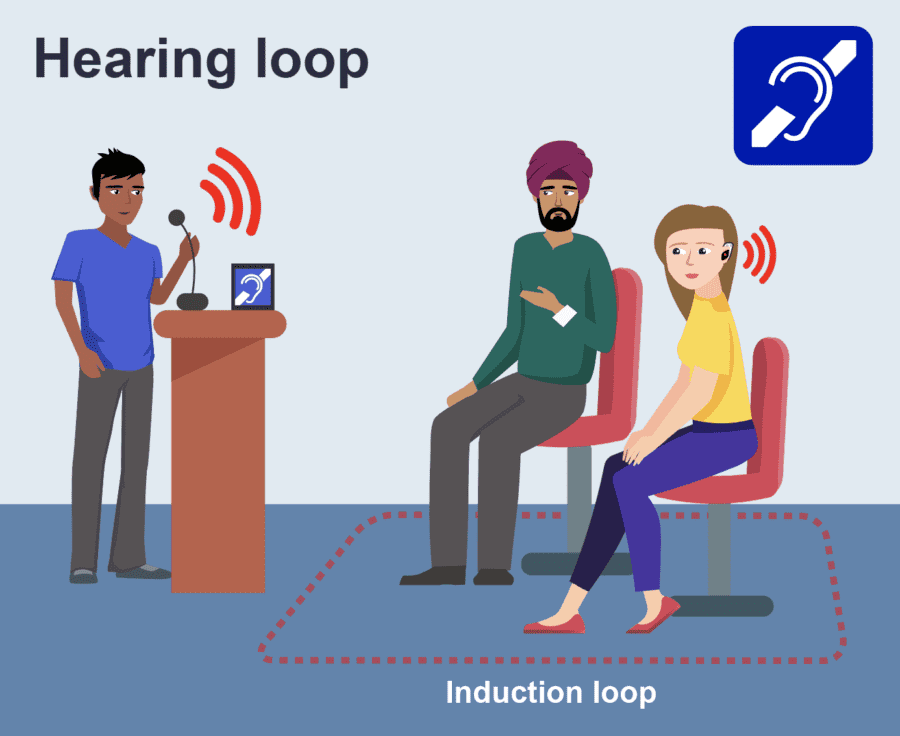
Hearing loops
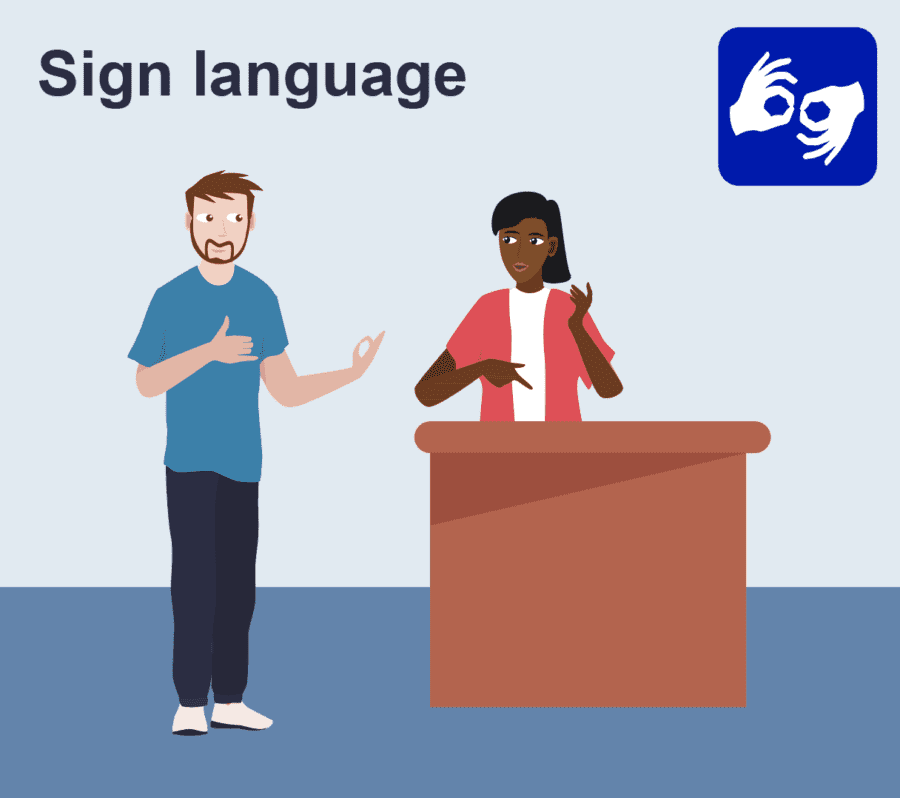
Sign language

Lip-reading
Recruitment and interviews checklist
A fair recruitment process lets candidates show their skills, not how well they can hear in a difficult room. Before and during interviews:
- Ask every candidate whether they need any adjustments, and how they prefer to communicate.
- Offer communication support as an adjustment that you arrange, such as a BSL interpreter, lipspeaker or speech-to-text reporter, or live captions for video interviews. Book professionals registered with the NRCPD.
- Send the interpreter the job description, interview questions and any task materials in advance, so they can prepare.
- Speak and look at the candidate, not the interpreter, and address your questions to them directly.
- Share the interview format, the names of the panel and any tasks in advance.
- Provide the questions in writing as well as asking them aloud.
- Use a quiet room away from traffic, kitchens and printers, with good lighting on the panel’s faces.
- Do not sit the panel with their backs to a bright window, as this makes lip-reading harder.
- Ask one question at a time and let one person speak at a time.
- For video interviews, keep cameras on, switch on captions and test the link beforehand.
- Allow extra time if an interpreter or captions are being used.
- For written tasks, remember that English may be a second language for a Deaf BSL user, and check the task tests skills the job really needs.

Onboarding checklist
The first few weeks set the tone. Use this checklist when a new starter, or a returning employee, is deaf or has hearing loss, including Deaf BSL users:
- Hold a first-week conversation about how they communicate, what they find difficult and what has helped before.
- Agree how they would like information shared, for example in writing, by email or through team chat.
- Set up alarms and an evacuation plan, including visual or vibrating alerts and a named buddy, as part of a Personal Emergency Evacuation Plan (PEEP).
- Name a buddy who can help with introductions, announcements and anything missed.
- Set up technology before day one: a compatible headset, captions switched on and any Bluetooth pairing tested.
- Make sure induction sessions and training videos have captions or transcripts.
- If the employee uses BSL, agree when interpreters will be booked for induction, training and team meetings, and share materials with the interpreters in advance.
- Offer Deaf awareness training and some basic BSL to the immediate team.
- Agree when you will review how things are going, and keep reviewing.
Technology and equipment

The right technology can remove many everyday barriers. The best choice depends on the person, their hearing aids or implant and their role, so agree it with them, and an assessment can recommend specific options. Types of technology to consider include:
Hearing aid connectivity
- Bluetooth streamers, which send sound from a phone or computer straight to the employee’s hearing aids.
- Remote microphones, which a speaker wears or places on a table so their voice goes directly to the hearing aids, cutting out background noise.
- Hearing loops, fixed or portable, for meeting rooms, reception desks and training sessions, for people whose hearing aids have a loop (T) setting.
Calls and video meetings
- Hearing-aid-compatible or Bluetooth headsets for calls at the desk and at home.
- Live captions in Microsoft Teams, Zoom and Google Meet, ideally switched on by default.
- Captioned or amplified phones.
- Relay UK, which lets people make and receive calls using text, with a relay assistant in between.
- BSL video relay services, which let Deaf BSL users make and receive phone calls through an online BSL interpreter.
- On video calls with an interpreter, pin or spotlight the interpreter so the Deaf person can always see them.
Alerts and safety
- Visual alerts, such as flashing beacons linked to the fire alarm.
- Vibrating pagers or other alerting devices, especially for people who work alone or move around a site.
Speech-to-text apps
- Live Transcribe, a free speech-to-text app from Google for Android devices.
- Live Captions on iPhone (Settings > Accessibility > Live Captions), which shows real-time captions of speech on supported models.
Our useful links for hearing loss page has more on apps, hearing aids and communication.
IT compatibility
Check with your IT team that headsets, streamers and captioning tools work with your phone system, laptops and meeting software, and that the employee has permission to pair Bluetooth devices.
Meetings checklist
Meetings are often the hardest part of the working day. Small habits make a big difference:
- Send the agenda and any papers in advance.
- One person speaks at a time, and the chair keeps it that way.
- Switch captions on for video and hybrid meetings.
- Face the room when speaking and keep your mouth visible.
- Make sure faces are well lit, and avoid sitting people against a bright window.
- Use a remote microphone or hearing loop if the employee uses one.
- For a Deaf BSL user, book a BSL interpreter registered with the NRCPD for key meetings, well in advance, and share the agenda, slides and papers with them beforehand.
- Talk to the Deaf person, not to the interpreter. Say “What do you think?”, not “Ask her what she thinks.”
- Pause when moving between slides or topics, so the interpreter and the Deaf person can catch up.
- Say who is speaking on calls, and keep cameras on where possible.
- Confirm decisions and actions in writing afterwards.
- Build in short breaks during long meetings, to help with listening fatigue and to give interpreters the breaks they need.
For a full guide, read accessible meetings for Deaf employees and colleagues with hearing loss.
The workspace
Background noise and poor acoustics make speech much harder to follow. Look at:
- Quieter seating away from kitchens, printers, doors and busy walkways.
- A desk with the employee’s back to a wall, so colleagues approach from the front.
- Access to a quiet room for calls and one-to-ones.
- Clear sight lines across the team area, so a Deaf colleague can see people signing or trying to get their attention.
- Acoustics: soft furnishings, screens and carpets reduce echo from hard surfaces.
- Lighting for lip-reading: good, even light on people’s faces, without glare.
- Flexible or hybrid working where a quieter environment helps.
Hybrid and Remote Working
Working from home can make some things easier, such as a quieter room and more control over noise, but video calls bring their own challenges. Make sure adjustments work wherever the employee is working:
- Set up the home workspace properly: a headset that works with the employee’s hearing aids or cochlear implant processor, a quiet space for calls, and good lighting so faces are easy to see for lip-reading on video.
- Switch captions on in every video call, not only when someone asks.
- Ask everyone to keep cameras on where possible, so people can lip-read and see facial expressions.
- For a Deaf BSL user, pin or spotlight the BSL interpreter so they stay visible throughout the call.
- Use the chat alongside speech for links, key points and questions, and keep an eye on it during the call.
- Follow up calls and meetings in writing, with decisions and actions.
- Choose equipment that can move between home and the office, such as a portable remote microphone or headset, or provide a set for each location.
- If the employee has a workplace assessment, check that it covers their home equipment and set-up as well as the office.
Safety and Noisy Workplaces
Everyone needs to know when there is an emergency and be able to get out safely. In noisy workplaces you also have a duty to protect people’s hearing. Check:
- Fire alarms have visual alerts, such as flashing beacons, or vibrating pagers, covering every area where the employee works, including toilets and quiet rooms.
- A buddy system is in place, with a named colleague and a back-up, so the employee always knows about an alarm or evacuation.
- A Personal Emergency Evacuation Plan (PEEP) is agreed with the employee, practised and reviewed.
- Lone working arrangements suit the employee, for example regular text-based check-ins instead of phone calls, and a way to raise the alarm without speaking.
- Warning lights are fitted to vehicles and machinery, such as forklifts, where relevant, so safety does not rely only on audible alarms.
- Noise risks are assessed. Under the Control of Noise at Work Regulations 2005, employers must assess the risk from noise, reduce exposure and provide hearing protection where it is needed. The HSE has guidance on noise at work.
- Staff exposed to noise have regular hearing checks (health surveillance), so any change in hearing is picked up early.
- Hearing protection is compatible with hearing aids or implants where needed. The right option depends on the person and the noise, so ask a specialist, such as an audiologist or occupational health, for advice.
Listening Fatigue, Wellbeing and Confidence
Following speech takes extra concentration for someone who is deaf or has hearing loss, whether they are listening through hearing aids or an implant, lip-reading or watching a BSL interpreter. That effort builds up through the day and is often called listening fatigue.
Signs to look out for include:
- Tiredness, especially later in the day or after long meetings
- Headaches
- Withdrawing from conversation, or avoiding meetings and social events
Adjustments that help include:
- Breaks between meetings.
- Fewer back-to-back calls.
- Quieter spaces for focused work and conversations.
- Flexible hours, so the most demanding tasks can be done when the employee has most energy.
- Mixing written and spoken communication, so not everything relies on listening.
Missing informal chat, jokes and team conversations can leave people feeling isolated, and having to keep asking people to repeat themselves can knock confidence. Include the employee in team and social events, share team news in writing, and encourage colleagues to include them rather than talk around them.
Make sure the employee knows what mental health support is available, such as an Employee Assistance Programme if you have one. Deaf people who need therapy in BSL can get support from SignHealth, the deaf health charity.
Keep regular check-ins going, so the employee can raise anything that is becoming harder before it affects their health or their work.
A Manager’s Guide to Talking About Hearing
Many people find it hard to talk about their hearing, especially if it has changed gradually or they worry about how it will be seen at work. A supportive conversation with their manager can make a real difference. For a Deaf BSL user, the conversation is about communication and access, not about their hearing.
When to start a conversation
You might start a conversation if you notice any of the signs above, such as missing details in meetings, avoiding calls or seeming tired and withdrawn, or if the employee mentions their hearing. Regular one-to-ones are a natural time to ask.
How to start the conversation
- Choose a private, relaxed setting at a time when neither of you is rushed, ideally a quiet room with good lighting.
- Ask open questions, and listen.
- Focus on what would help them at work, not on a diagnosis or the cause.
- Do not assume you know what they need. People with similar hearing can need very different support.
- Ask how they prefer to communicate, including whether they would like the conversation in writing, with captions or with a BSL interpreter.
- If they are unsure about their hearing, mention our free hearing self-screening tool.
Example phrases
You might say:
- “I’ve noticed meetings seem harder work for you lately. Is there anything that would make them easier?”
- “How do you prefer to communicate, and is there anything we could do differently as a team?”
- “What helps you most in meetings and on calls?”
- “You don’t have to share anything you’re not comfortable with. I just want to make sure you have what you need to do your job well.”
- “Would a workplace assessment help, so we can look at this together with a specialist?”
What not to do
- Do not ask for medical details or a diagnosis. Focus on what helps at work.
- Do not shout or exaggerate your mouth movements. Speak clearly, at a normal pace, and face the person.
- Do not decide for them. Agree any changes together.
- Do not treat the conversation as a performance issue.
Agreeing next steps
- Agree any adjustments you can make straight away, such as captions, seating or how meetings are run.
- Talk about whether Access to Work could help (see Help with costs below).
- Consider a hearing loss workplace assessment for specialist recommendations.
- Write down what you have agreed and share it with the employee.
Keep what the employee tells you confidential, and agree with them what, if anything, is shared with the team. Review the adjustments regularly, as hearing, technology and roles can change.
For everyday communication tips, read communicating with Deaf employees and employees with hearing loss.
Help with costs
Help with the cost of equipment and support may be available through the government’s Access to Work scheme in England, Scotland and Wales, although Access to Work will not pay for adjustments that an employer is legally required to make. If your employee applies within six weeks of starting the job, Access to Work can cover the full approved cost of special equipment, so you will not have to share the cost (see the Access to Work factsheet for employers).
Northern Ireland has its own Access to Work (NI) programme. In Ireland, supports are available through the Department of Social Protection’s Work and Access service.
Training for your team
Managers and colleagues play a big part in making adjustments work day to day. Our Deaf and Hearing Loss Awareness eLearning covers recognising the signs of hearing loss, correct terminology, assistive technology, tinnitus and good practice in the workplace, so your team can communicate with confidence.
If a team member uses BSL, colleagues may also want to learn some basic BSL, such as greetings and everyday phrases. It shows respect and makes informal conversation easier.
Workplace assessments
A hearing loss workplace assessment looks at the employee’s role, the hardest listening situations in their working day, how they communicate, their hearing aids, implants or other devices, the working environment and health and safety, then recommends practical adjustments, equipment and support.
Assessments are available from £795, by phone, video or in person, across the UK and Ireland. We contact the employee within two working days of referral and send the report within ten working days.
If someone has both sight loss and hearing loss, see our deafblind workplace assessment.
Quick checklist
A summary to keep to hand:
- Ask the employee what works for them, and agree adjustments together.
- Talk about hearing privately and supportively, focusing on what helps rather than medical details.
- Offer communication support and written questions at interview.
- Hold a first-week conversation and name a buddy.
- Put a PEEP in place with visual or vibrating alerts.
- Check lone working, warning lights and noise risks, including hearing checks and hearing protection that works with hearing aids.
- Set up compatible headsets, streamers or remote microphones.
- Switch on live captions for video meetings by default.
- For remote and hybrid working, check home equipment, keep cameras on where possible, use chat alongside speech and follow up in writing.
- For Deaf BSL users, book NRCPD-registered interpreters for key meetings, share materials in advance and plan interpreter breaks.
- Talk to the Deaf person, not the interpreter.
- Set up a BSL video relay service for phone calls if the employee needs one.
- Run meetings one speaker at a time, with written actions.
- Provide quieter seating, a quiet room and good lighting on faces.
- Allow breaks for listening fatigue and time off for audiology appointments.
- Watch for isolation and low confidence, keep regular check-ins and signpost mental health support, including SignHealth for therapy in BSL.
- Check Access to Work early, within six weeks of starting if possible.
- Book Deaf awareness training for the team, and basic BSL for colleagues of a BSL user.
- Arrange a hearing loss workplace assessment if you are unsure what to do next.
- Review regularly, as hearing and roles can change.
Accessibility, inclusion & equality
Supporting an employee who is deaf or has hearing loss means your business keeps the skills, knowledge and relationships they have built up. Inclusive habits such as clear meetings and captions help the whole team and show you are a supportive employer.
Here to help with your questions about deafness and hearing loss
To arrange an assessment, book training for your staff team or ask questions about employing someone who is deaf or has hearing loss, email info@visualisetrainingandconsultancy.co.uk or call 07472 305 268.
Last reviewed November 2026.