
By Daniel Morgan-Williams, Founding Director, Visualise Training and Consultancy Ltd.
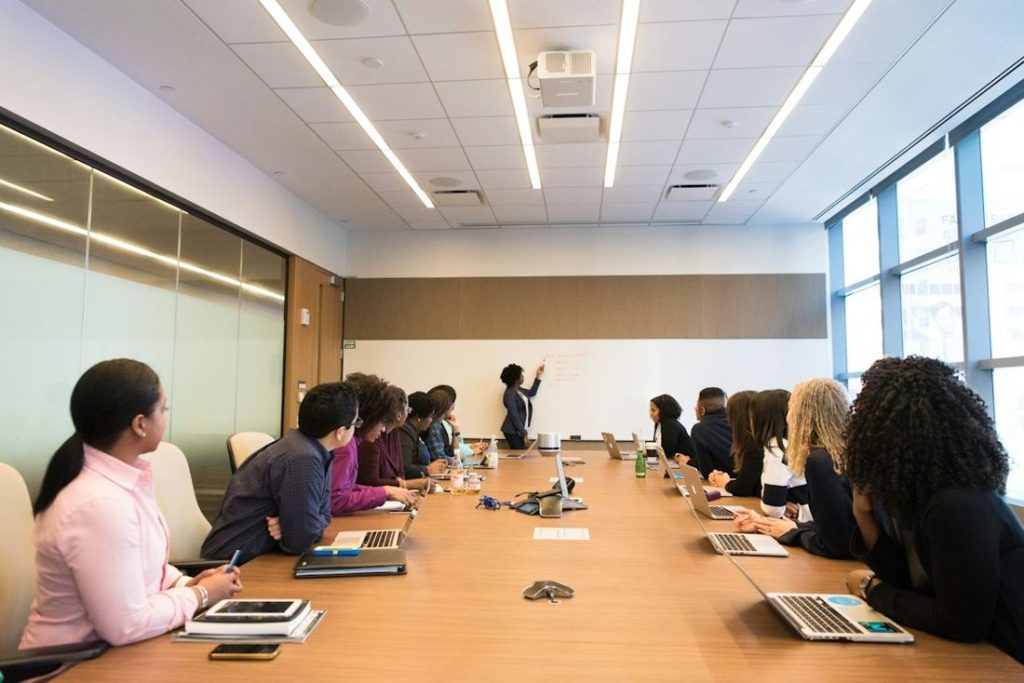
The meeting starts five minutes late, so nobody waits for the interpreter to settle. Two people talk over each other in the first item. The slides change while the presenter is still speaking, a colleague on the video link has their camera off, and the decision that matters is made in a quick aside near the door. For a Deaf colleague who uses British Sign Language (BSL), or a colleague with hearing loss who relies on lipreading and a hearing aid, most of that meeting has gone.
None of this needs expensive fixes. Accessible meetings for deaf employees depend mainly on planning, on how the chair runs the room and on what happens afterwards. This guide works through each stage, for occupational health, HR, case managers and the managers who chair meetings every day. It is general information rather than legal advice.
One meeting, several different needs
Some people are Deaf BSL users, part of a community with its own language and culture (the capital D is often used for this). RNID describes BSL as structured in a completely different way from English, so written English is not always an equal substitute. Others are deaf and lipread, and many have hearing loss and use hearing aids or cochlear implants. In the same meeting, one person may need an interpreter, another a lipspeaker, live text or a hearing loop. As Sense puts it, the best way to find out how someone prefers to communicate is to ask.
Before the meeting
Ask early, and ask once
Ask about communication needs when the meeting is arranged, not on the day, and agree a standing arrangement for regular meetings. RNID advises allowing plenty of time to arrange communication support.
Book registered professionals early
The National Registers of Communication Professionals working with Deaf and Deafblind People (NRCPD), a voluntary regulator, registers BSL/English interpreters, lipspeakers, speech-to-text reporters and notetakers, and its register can be checked online. RNID notes that some interpreters in Scotland are registered with the Scottish Register instead, and advises using providers that only use registered professionals. A lipspeaker repeats what is said without voice, clearly and with natural expression, for people who lipread. A speech-to-text reporter types a word-for-word account that appears on screen in real time. Book as soon as the date is known. Our guide to working with BSL interpreters covers booking and briefing in more detail.
Send papers early, to everyone
Send the agenda, papers and slides in advance. Communication professionals should get the same pack, plus a list of attendees, so they can prepare terminology, as Sense and Deaf Action both advise.
Choose the room and the seating
RNID advises a well-lit room without much background noise. Avoid speakers sitting with their back to a bright window, which turns faces into silhouettes, and use a layout where people can see each other. The Deaf person needs a clear view of both the interpreter and the speaker, as Deaf Action points out, so agree positions before people sit down.
Check the listening technology
A hearing loop sends sound straight to hearing aids or cochlear implants and cuts out background noise, RNID explains, as long as the loop setting is switched on in the device. Some people use a personal remote microphone placed near the speaker, which can stream to their hearing aids. Test whatever you use, ideally with the person who will rely on it, before the meeting starts.
Plan breaks
RNID recommends breaks in meetings likely to last more than an hour, because lipreading, listening and watching an interpreter are tiring. Professionals need breaks too. Sense recommends two interpreters for meetings over an hour, and RNID suggests two lipspeakers for assignments over two hours. Ask the agency what it recommends.
During the meeting
The chair sets the rules
Most of the difference is made by the chair. Agree at the start that one person speaks at a time. RNID suggests asking people to raise a hand before speaking, so a person with hearing loss can see who is next, and stepping in when people talk over each other. On calls, ask speakers to say their name first.
Faces, voices and pace
- Face the room when speaking, and do not talk while writing on a whiteboard or looking at a screen.
- Keep hands, cups and papers away from your mouth. RNID advises against eating or chewing gum while speaking.
- Speak at a natural pace. Interpreters will say if you need to slow down.
- Signpost changes of topic, such as “Moving on to item four, the budget”.
Working with an interpreter in the room
Speak to the Deaf person, not to the interpreter. Sense and Deaf Action both warn against phrases such as “tell her” or “ask him”. There is always a short delay while meaning is turned from one language into another, so pause before moving on or calling for a decision, and give the Deaf person time to come in.
Slides, video and chat
Nobody can watch an interpreter or a speaker’s lips and read a slide at the same time. Pause when a new slide appears, and describe what it shows. Only play video that has accurate captions, or share a transcript. On calls, the chat box runs alongside the discussion, so read out relevant chat comments rather than assuming everyone has seen them.
Captions on
Switch on captions for online and hybrid meetings. RNID notes that automatic captions are not 100% accurate, and suggests hearing colleagues turn them on too, so they can spot and correct errors quickly. Where accuracy matters, a speech-to-text reporter is more reliable. Our article on captions for hearing loss at work compares the options.
Check understanding without singling anyone out
Before closing each item, summarise the decision and who is doing what. Avoid asking “Did you get all that?” in front of the group. A quiet word afterwards works better.
Hybrid and video meetings
- Cameras on for anyone speaking, with good light on the face and the camera close, as RNID advises.
- Mute when not speaking, and use the raise-hand feature to take turns.
- Pin or spotlight the interpreter, using the feature that keeps one video large on screen, and allow time to set this up before the start and after breakout rooms. RNID notes features vary by platform, account type and whether you are host or participant.
- Good microphones. In hybrid meetings, make sure people in the room speak into a microphone, because remote participants and automatic captions depend on that audio. Use noise reduction features where offered.
- No side conversations in the room that remote colleagues cannot follow.
For one-to-one calls, see our guide to phone and video calls with hearing loss.
After the meeting
Circulate written actions and decisions promptly. RNID recommends sharing the recording and transcript for reference. If an automatic transcript is used, check names, figures and decisions before anyone relies on it as the record. Ask the Deaf colleague or the colleague with hearing loss, privately, what worked and what did not, and adjust for next time.
Large events, training sessions and conferences
Ask about communication needs at registration, book professionals early and send them presentations well before the day. Deaf Action notes that all-day events or conferences may need more than one interpreter. RNID explains that live text from a speech-to-text reporter can be projected onto a big screen, and that the reporter needs a table and power socket. Reserve seats with a clear view of the interpreter, the speaker and any text screen, check that a large-area hearing loop covers the seating, use a microphone for questions from the floor and caption any video. Plan breaks and networking with communication in mind, because informal conversation is often where people are left out.
Accessible meeting adjustments at a glance
| Stage | Adjustment | Why it helps |
|---|---|---|
| Before | Ask how each person communicates and agree a standing arrangement | Avoids last-minute gaps and repeated requests |
| Before | Book NRCPD-registered interpreters, lipspeakers or speech-to-text reporters early | Registered professionals are in demand and work to a code of conduct |
| Before | Send agenda, papers and slides to attendees and communication professionals | Gives everyone reference points and lets professionals prepare terms |
| Before | Well-lit, quiet room with seating agreed in advance | Supports lipreading and a clear view of the interpreter |
| During | One speaker at a time, managed by the chair | Speech can be followed and interpreted |
| During | Pause for interpreter delay and for new slides | The Deaf person has time to follow and contribute |
| Online | Cameras on, interpreter pinned, captions on, mute when not speaking | Keeps faces and the interpreter visible and audio clear |
| After | Written actions, plus recording and checked transcript | Gives an accurate record everyone can rely on |
What this means for occupational health, HR and case managers
Meetings are often where communication barriers first show, and they are easy to miss because the employee may say nothing. Watch for missed actions, quietness in group discussion or tiredness after a day of calls.
A hearing loss workplace assessment looks at meetings as part of the real job. A useful report should set out:
- how the employee prefers to communicate in different settings, including BSL, lipreading or text
- which meetings need professional communication support, and how it will be booked
- room, seating and listening technology features that help, described by function rather than brand
- what the chair and colleagues should do differently
- deaf awareness training for the team
Hints and tips for the employee
- Tell the organiser in advance what works for you, and ask for papers early.
- Arrive early to choose a seat with a clear view of faces and the interpreter.
- Agree a signal with the chair for when you have lost the thread.
Building deaf awareness in the team
Meeting adjustments rely on colleagues remembering them. Deaf awareness training helps the whole team understand why one voice at a time, visible faces and captions matter, and makes it easier for colleagues to speak up. Our deaf and hearing loss awareness eLearning is a practical starting point, and our short film on accessible meetings gives six quick tips to share with the team.
Legal rights and support
Under the Equality Act 2010, a person is disabled where they have an impairment with a substantial and long-term adverse effect on their ability to carry out normal day-to-day activities. Schedule 1, paragraph 5 means the effect of hearing aids is ignored when deciding this. Where the definition is met, employers must make reasonable adjustments under section 20, and that can include how meetings are run. Northern Ireland is covered by the Disability Discrimination Act 1995.
The British Sign Language Act 2022 recognises BSL as a language of England, Wales and Scotland. It places reporting and guidance duties on government rather than new duties on employers. Access to Work can help eligible people with support in the workplace. Whether the definition is met for a particular person depends on their circumstances, and this article is general information rather than legal advice.
Summary
Accessible meetings are mostly good meetings: planned, well chaired, with clear papers and clear actions. The habits that let Deaf colleagues and colleagues with hearing loss take a full part tend to make meetings clearer and more productive for everyone.
Next step
For more practical guidance, see our employer toolkit for deafness and hearing loss and our employer guide to supporting deaf employees and employees with hearing loss.
If you or someone in your team is deaf or has hearing loss and would like expert, tailored support to stay productive and comfortable at work, you can arrange a hearing loss workplace assessment with us.
Frequently asked questions
How do I make a meeting accessible for a deaf employee?
Ask how they communicate, book any communication professional early, send papers in advance, choose a quiet, well-lit room, keep to one speaker at a time, switch captions on for online meetings and send written actions afterwards.
Are automatic captions enough for a deaf employee in meetings?
Sometimes, for informal meetings. RNID notes they are not 100% accurate, and they do not replace BSL for a Deaf BSL user. For important meetings, a speech-to-text reporter or interpreter may be needed.
Where should a BSL interpreter sit or stand in a meeting?
Where the Deaf person can see both the interpreter and the speaker clearly, in good light. Agree the position with the Deaf person and the interpreter before the meeting starts.
What is the difference between a lipspeaker and a BSL interpreter?
A BSL interpreter works between BSL and English. A lipspeaker repeats spoken English without voice, clearly and with natural expression, for people who lipread. Both can be found on the NRCPD register.
Sources
RNID, Make your meetings deaf aware (updated July 2026): https://rnid.org.uk/employers-and-professionals/accessible-meetings/
RNID, British Sign Language (BSL) interpreters (updated November 2026): https://rnid.org.uk/employers-and-professionals/providing-communication-support/british-sign-language-interpreters/
RNID, Lipspeakers: https://rnid.org.uk/employers-and-professionals/providing-communication-support/lipspeakers/
RNID, Speech-to-text reporters: https://rnid.org.uk/employers-and-professionals/providing-communication-support/speech-to-text-reporters/
RNID, Providing a hearing loop in your venue or business: https://rnid.org.uk/employers-and-professionals/providing-communication-support/hearing-loops/
RNID, Making conversations clearer: https://rnid.org.uk/information-and-support/technology-and-products/making-conversations-clearer/
RNID, How to use accessibility features on video conferencing apps: https://rnid.org.uk/information-and-support/technology-and-products/video-conferencing-accessibility/
NRCPD, home page and registration categories: https://www.nrcpd.org.uk/
Sense, Top tips for communicating with someone using a sign language interpreter (2024): https://www.sense.org.uk/blog/top-tips-for-communicating-with-someone-using-a-sign-language-interpreter/
Deaf Action, Top tips for working with BSL/English interpreters (2023): https://deafaction.org/info-and-advice/tips-for-working-with-interpreters/
legislation.gov.uk, Equality Act 2010, Schedule 1, Part 1: https://www.legislation.gov.uk/ukpga/2010/15/schedule/1/part/1
legislation.gov.uk, Equality Act 2010, section 20: https://www.legislation.gov.uk/ukpga/2010/15/section/20
legislation.gov.uk, British Sign Language Act 2022: https://www.legislation.gov.uk/ukpga/2022/34/contents
GOV.UK, Access to Work: https://www.gov.uk/access-to-work
Note on sources: guidance on how many interpreters or lipspeakers to book, and when, comes from charity and professional guidance and varies with the setting. It is not a legal rule. RNID guidance is charity guidance rather than regulation, and RNID pages name specific products, which are deliberately not repeated here.