
The scenario in this article is illustrative. It is a composite built from situations that come up often in workplace assessments, and it describes no real person, employer or report. It is here to show what a visual impairment workplace assessment looks like for the people who refer into it.
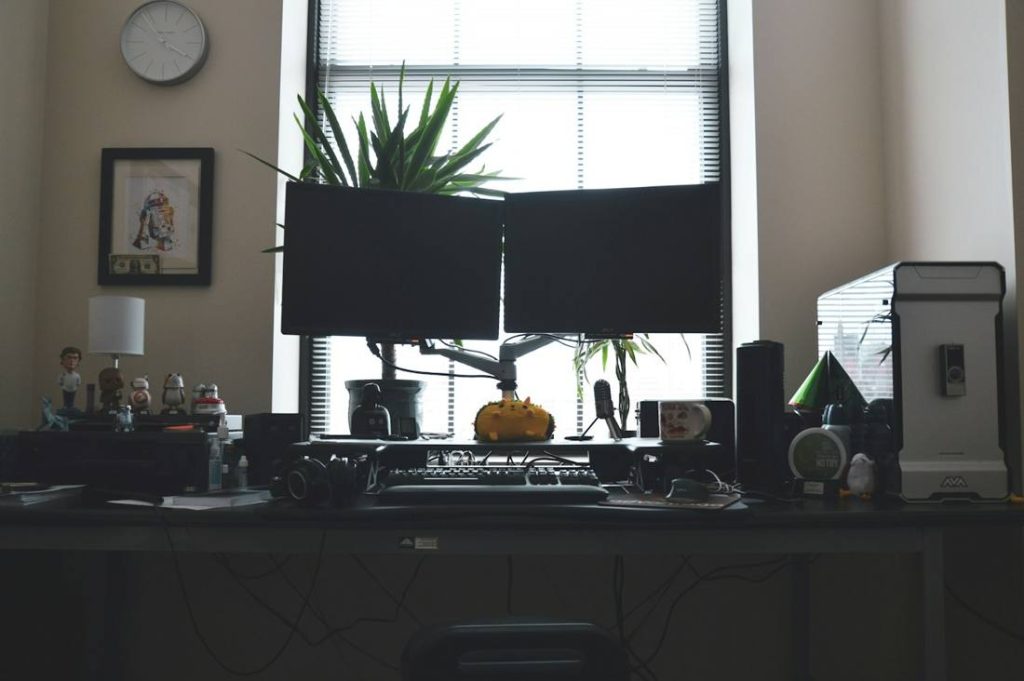
A finance analyst works at two large monitors. The department upgraded the screens last year, believing that more screen space would make everyone faster. For him, it has had the opposite effect. He has reduced side vision, which means that when he looks at the centre of a screen he does not see what is happening at the edges. A big spreadsheet that is a convenience for colleagues is, for him, a field he can only take in a piece at a time. He misses columns on the far side. He loses his place when he moves between screens. Twice this quarter he has overlooked a figure that was on screen the whole time.
He has told his manager he is “a bit tired”. He has told nobody that when he walks into a busy open-plan office he cannot see people coming from the side, and that he has begun to take a longer route round the desks to avoid collisions.
What reduced peripheral vision can mean at work
Central and peripheral vision do different jobs. Central vision gives detail for reading and recognising faces. Peripheral vision gives awareness of the wider scene and helps with movement, orientation and noticing what has changed. A person with reduced peripheral vision may still read small print well while finding it hard to see the whole of a large screen, to spot something moving at the edge of the room, or to move easily around an unfamiliar or crowded space.
The effects at work are often not obvious. Someone may look straight at a colleague and manage a conversation perfectly while missing a person approaching from the side. They may look as though they are not paying attention when they are in fact scanning more carefully. The causes vary, and the experience varies between individuals, so no general rule applies. What matters is what this particular person finds difficult in this particular job.
How the referral happens
In this scenario, the analyst’s manager notices the missed figures and asks him directly. After a frank conversation, he mentions that he has a condition affecting his side vision. With his agreement, the manager asks HR and occupational health to arrange a visual impairment workplace assessment. The referral describes the role and the concern and asks what the employer could change. It does not ask the assessor for a medical opinion or a view on whether he can continue in the role.
What the assessment involves
The assessment can be carried out by video call or in person. The assessor first looks at the job. For the analyst, that means the systems and files he works with, the size and layout of the spreadsheets, how many applications he moves between, how often he presents on shared screens, how he gets to and around the office, and how his time splits between office and home.
The assessor then asks about his sight at work in practical terms. What can he see on one screen at one time, at which distance? How does he find his place when switching between screens? What happens in a busy corridor, a meeting room, a canteen? Does lighting change anything? What has he tried, and what works?
In this scenario he explains that he sees a smaller area of any screen than his colleagues do, that he scans rather than glances, that he sets the zoom high and then scrolls a great deal, and that he re-checks long files because he is aware he can miss things. He explains that in the open-plan area, unexpected movement from the side is hard to see, that he takes a longer route to avoid people, and that low light makes this harder. He describes how he deals with these things, and how tiring the effort is.
The assessor makes no diagnosis, does not comment on prognosis and does not reach conclusions about capability. The aim is to record the barriers and what would reasonably help.
What the report recommends
The report is a workplace adjustments report. It is non-clinical, describes the work and the barriers in functional terms, and presents each recommendation with its own reason, tied to something the employee described. Items needing an employer decision are put to the line manager for discussion.
In this scenario, recommendations might include the following.
| Barrier reported | Possible adjustment | Why it may help |
|---|---|---|
| Only part of a large spreadsheet visible at once | One suitably sized monitor positioned for his sight, replacing the two large screens, with display scaling set up for him | May make it easier to keep his place and take in one area at a time |
| Losing his place when moving between screens | Fewer screen switches, with applications arranged to suit his scanning pattern | May reduce the effort of re-finding his place |
| Missed figures in long files | Software features such as freeze panes, highlighted headers, and filtering to shorten what he needs to scan | May reduce the amount of data he has to search through visually |
| Unexpected movement in the open-plan area | A desk position with a wall at his side or back, and clear, predictable walkways | May reduce surprise and the need for detours |
| Unfamiliar parts of the building | A walk-through of the route to meeting rooms, the kitchen and exits | May help him move around with confidence |
| Tiredness from sustained scanning | Planned breaks and spreading intensive checking across the day | May ease fatigue |
| Reluctance to ask for help | A conversation with his line manager about what to share with colleagues | May make it easier to speak up in future |
Where software or equipment needs specific set-up, the report recommends training from its supplier. Settings already built into the computer need no additional training, but are worth configuring properly.
An important point for the employer is that “more screen” is not always the answer. A larger display helps many people with reduced central vision, but for someone with reduced side vision it may make the screen harder to take in. Good assessment looks at the individual, not the category.
What this might change
Adjustments do not change the underlying condition, and results differ between individuals. The realistic aim is that the analyst can work without strain and without the constant anxiety of missing something. Possible benefits include fewer oversights, less fatigue and a safer, less stressful route around the office.
For the manager, the lesson is that a quiet or slower employee may be working hard. The missed figures were not carelessness. They were what happens when a workstation is built for a wider field of view than the person has.
What this means for occupational health, HR and case managers
Referrers can help by describing the job concretely, naming the systems, screens and spaces, since the assessor needs those specifics. They can ask the employee what they are experiencing rather than assuming. They can avoid treating a safety concern as grounds to restrict the person’s role. A good assessment looks for arrangements that preserve independence, and it does not assume that reduced side vision means someone cannot work safely.
A workplace assessment complements, and does not replace, occupational health, eye clinic and rehabilitation input. It gives no view on fitness for work.
Legal rights and support
Under the Equality Act 2010, a person is disabled where they have an impairment with a substantial and long-term adverse effect on their ability to carry out normal day-to-day activities. Where the definition is met, the employer must make reasonable adjustments. Access to Work, run by the Department for Work and Pensions, can pay for things like specialist equipment and support for eligible people in England, Scotland and Wales, but GOV.UK states that it does not cover reasonable adjustments an employer must legally make. Whether the definition is met for a particular person depends on their circumstances, and this article is general information rather than legal advice.
Summary
In this scenario, the analyst’s work was sound. The workstation had been designed around a field of view he did not have. A visual impairment workplace assessment brought the barrier into the open and gave the employer a practical set of changes, several of which cost little. The sooner it is named, the less time is wasted on avoidable effort.
Frequently Asked Questions
No. It is an illustrative composite, written to show how the assessment process works. It does not describe a real person, employer or report.
No. It depends on the person. Some benefit from a larger display, while others, such as people with reduced side vision, may find a very wide screen harder to take in.
No. A workplace adjustments report does not give a view on safety, capability or fitness for work. It describes barriers and practical arrangements, including ones that help the person move around the workplace with confidence.
The assessment asks what is already in place and what is working, and builds on it. It does not start from nothing.
If you or someone in your team is visually impaired and would like expert, tailored support to stay productive and comfortable at work, visit https://visualisetrainingandconsultancy.com/workplace-assessments/visual-impairment-workplace-assessments/ to arrange a visual impairment workplace assessment.
Sources
GOV.UK, Access to Work: get support if you have a disability or health condition: https://www.gov.uk/access-to-work
GOV.UK, Access to Work, Eligibility: https://www.gov.uk/access-to-work/eligibility
GOV.UK, Definition of disability under the Equality Act 2010: https://www.gov.uk/definition-of-disability-under-equality-act-2010
legislation.gov.uk, Equality Act 2010, Schedule 1, Part 1: https://www.legislation.gov.uk/ukpga/2010/15/schedule/1/part/1
legislation.gov.uk, Equality Act 2010, section 20: https://www.legislation.gov.uk/ukpga/2010/15/section/20
Acas, Reasonable adjustments at work: https://www.acas.org.uk/reasonable-adjustments
HSE, Working safely with display screen equipment: https://www.hse.gov.uk/msd/dse/